
Drag in, done
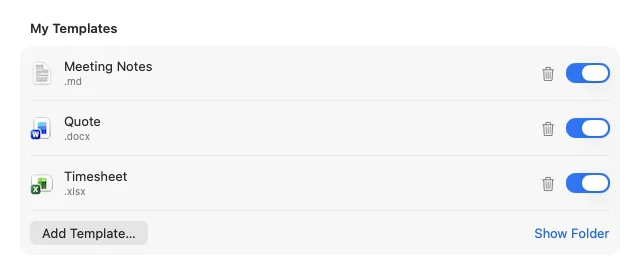
Drag files into the app or click “Add Template…”. They appear in the menu under their own name – and the new copy gets that name too.
Neue Datei
Only for Mac · macOS 14 or later
Right-click in any folder or on the desktop, choose “New File” and pick a template – Word, Excel, PowerPoint, text, Markdown, scripts or your own.
Free. Runs on Mac only – not on Windows, iPhone or Android.
How it works
No need to open an app first and then hunt for the right folder to save in.
On an empty spot in a Finder window or on the desktop. Right-click a folder to create the file inside it.
The submenu lists all your templates in alphabetical order. You can also add a button to the Finder toolbar.
The file is called “Untitled” – or “Untitled 2” if that name is taken – and is selected in the Finder. Scripts are executable right away.
Templates
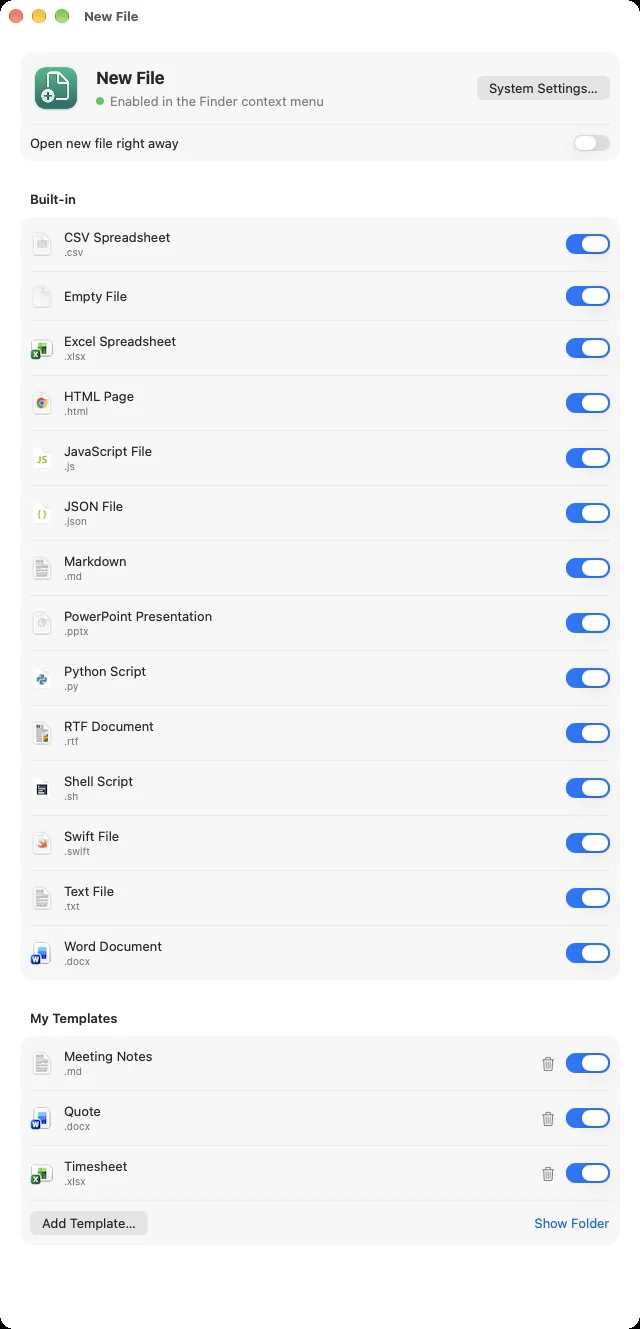
Empty, ready-to-use files for the office, the web and programming.
Your templates
Any file can become a template: an invoice in Pages, a quote in Word, meeting notes in Markdown.
Drag files into the app or click “Add Template…”. They appear in the menu under their own name – and the new copy gets that name too.
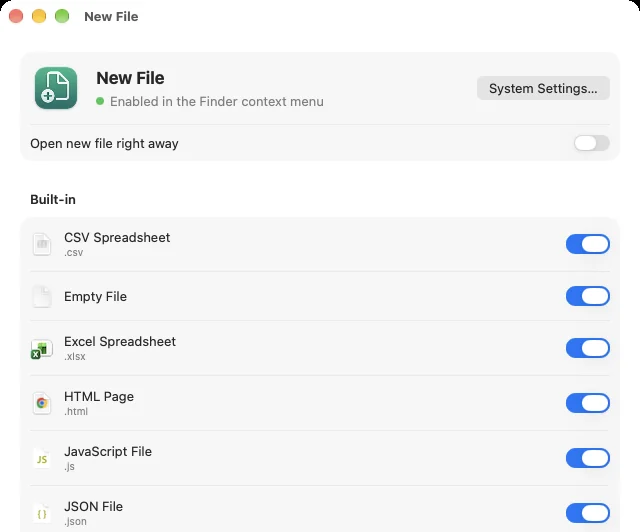
Hide any template with a switch. If you like, the new file opens right away instead of just being selected.
Only for Mac · macOS 14 or later · not for Windows, iPhone or Android
Free download for MacNeue Datei 1.0.0 · DMG · 0.9 MB · Notarized by Apple
Open the file, drag Neue Datei into your Applications folder and start it once – that switches the menu entry on.
No. The download is free.
A Mac with macOS 14 or later, with Apple Silicon or Intel.
Start Neue Datei once – it switches on the Finder extension. If the entry is still missing, click “System Settings…” in the app and switch on Neue Datei among the Finder extensions.
Yes. Save an empty document the way you like it and add it as your own template.
No. Neue Datei works entirely on your Mac and needs no internet connection.
The first time you create a file on the desktop or in Documents, macOS may ask once whether Neue Datei may access that folder.
Send us an e-mail at martin.bundschuh@seebubble.me.